|
Nitro PDF 6 - page numbers disappear |
|
Had a simple task of adding page numbers to a PDF file. Normally I use NitroPDF for this sort of PDF edits and normally it works well. This time, however, NitroPDF refused to play nicely. PDF document was quite large and contained some maps with mixture of high resolution raster and vector graphics (which I suspect was causing the whole issue).
Page numbering feature in NitroPDF is called Bates Number. 
After adjusting settings and clicking apply, page numbers would temporarily appear (while progress bar was displaying "Applying bates numbers").
 But once process was finished, page numbers were gone. It seemed like NitroPDF was failing on pages with above mentioned maps as adding numbers to a page range which not included these maps worked fine. Trying to add numbers via Header & Footer feature failed as well. In this case NitroPDF would simply crash.
|
|
|
Setup TrixBox (Asterisk) to accept dialling from MS Outlook 2010 |
|
You can use Microsoft Outlook built in dialling functionality to dial numbers from Outlook contacts list via Asterisk Server. Server Setup- Ensure Asterisk Manager Interface (AMI) is enabled
Open /etc/asterisk/manager.conf and make sure following lines are present (if not add them): [general] enabled = yes port = 5038 bindaddr = 0.0.0.0 - And AMI account
Open /etc/asterisk/manager_custom.conf And add: [activa] secret = Password deny=0.0.0.0/0.0.0.0 permit=192.168.1.0/255.255.55.0 read = system,call,log,verbose,command,agent,user write = system,call,log,verbose,command,agent,user Where: 192.168.1.0/255.255.55.0 - Your network subnet - Reboot asterisk
restart gracefully
|
|
Darik's Boot and Nuke HDD wipe hangs on "PCI (sysfs)" |
|
Darik's Boot and Nuke (DBAN) is excellent free utility which can securely wipe computer hard drives. It works from a bootable CD/DVD so is completely independent on client operating system.
|
|
Cannot start SQL Server 2005 - FallBack certificate initialization failed with error code: 1 (Event ID 17190) |
EnvironmentVMware ESXi 4.0 host Microsoft Windows Server 2003 Service Pack 2 Microsoft SQL Server 2005 Service Pack 4 SQL service account: sql-admin (domain account)
Issue
Microsoft SQL 2005 server service not running. Starting service manually fails with error message: 
Windows could not start the SQL Server (MSSQLSERVER) on Local Computer. For more information, review the System Event Log. If this is a non-Microsoft service, contact the service vendor, and refer to service-specific error code -2146885628.
|
|
Adobe Reader X error - Before proceeding you must first launch Adobe Acrobat and... |
|

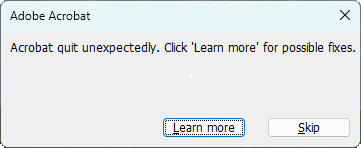
In certain conditions trying to open a PDF document with Adobe Reader X generates error "Before proceeding you must first launch Adobe Acrobat and accept the End User License Agreement". Opening file from within Adobe Reader (File > Open) works fine.
|
|
Transfer windows 7 desktop gadgets between computers |
|
It looks like Microsoft are abandoning Windows Desktop Gadgets as they are focusing on Windows 8 Metro style apps. Official Windows Desktop Gadgets web page only lists handful of the most popular gadgets and new gadgets are not anymore accepted. It obviously doesn't mean you can't download and install them from other sources. If you have a useful gadget on one computer and want to install it on another you may find that it's not available to download from Microsoft. In that case you can easily transfer it from one machine to another.
|
|
HP LaserJet 5550 fails to print multiple copies |
|
I've seen this issue on HP 5550 printer but it may be affecting other HP devices as well. Basically printer works absolutely fine if you print only one copy. However, as soon as you try to print more than one copy (even if it’s just a one page document) printing fails. It does print one copy fine, but then printer just stops or prints a page with one of the following errors:
Error: Unable to store job at printer Reason: Insufficient disk space for this job
Error: Unable to store job at printer Reason: Printer does not support collation at printer.
|
|
Transfer Skype chat history to another computer |
|
Skype by default saves all your historical chat (IM) messages on a local computer. This can be disabled in Tools > Settings > IM & SMS > IM Settings 
If you are planning to re-install Windows or migrate to another PC you may want to keep your historical chat messages. This can be done by transferring a single file from the old PC
|
|
Fixing Blue Screen "Stop: C0000218 {Registry File Failure}" in Windows XP |
|

C0000218 {Registry File Failure} Blue Screen of Death (BSOD) occurs if Windows is unable to read one of the registry database file. This can occur because of software or hardware issues, for example: power cut while Windows was writing to registry file (software), or a new bad sector on the system hard drive (hardware). Full error reads: STOP: c0000218 {Registry File Failure} The registry cannot load the hive (file) \SystemRoot\system32\config\SOFTWARE or its log or alternate. It is corrupt, absent, or not writable.
Beginning dump of physical memory Physical memory dump complete. Contact your system administrator or technical support group for further assistance.
|
|
Your credentials did not work – Remote Desktop Client doesn’t use saved passwords |
|
If you are accessing Remote Desktop (Terminal) server located in another domain you can come across an issue where Remote Desktop client refuses to use saved login credentials, forcing you to re-renter password every single time.
Following error is displayed: Your Credentials did not work Your system administrator does not allow the use of saved credentials to log on to the remote computer <computer name> because its identity is not fully verified. Please enter new credentials.
The logon attempt failed

This issue seems to affect only Windows Vista and higher OS.
|
|
Installing RamDisk in Windows 7 to perform external media speed tests |
RamdiskRamDisk as a virtual hard drive that uses part of your RAM. To the Operating System and applications it appears as a normal physical hard drive. These drives are very fast, much faster than any mechanical or SSD hard drives. Unfortunately they have very limited use because of two reasons:
- RAM is much more expensive than any hard drive, even an SSD
- All data stored on a RAM drive is lost if computer is shut down or loses power

|
|
|
|
|
|
|
Page 1 of 2 |